


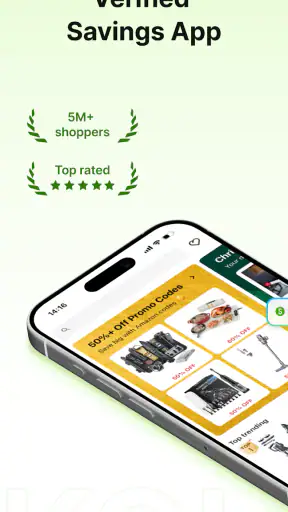
I usually open a shopping app with one simple question: can it help me spend less without turning checkout into a guessing game? Koupon: Real Deals & Codes is built around that problem. It is a free shopping app from Koupon that focuses on finding usable savings rather than making a long list of impressive-looking promotions. In my experience, that difference matters most when I am already ready to buy and need a practical answer quickly.
The app’s store summary presents it as a verified real savings service, and that promise shapes the way I judge it. I do not see it as a replacement for every retailer’s own app, nor as a complete shopping marketplace. I see it as a checking step between choosing a product and paying for it. That makes it especially useful for people who regularly compare offers, but less compelling for anyone who wants a fully automated shopping experience.
From a planned purchase to a usable saving
The starting condition: knowing what I want to buy
The most sensible way to use Koupon is to begin with a specific shopping intention. If I am looking for a particular item, visiting a familiar store, or preparing an online basket, I have something concrete to check. That starting point is important because coupon apps can become distracting when they are treated like entertainment feeds. Browsing random deals may be pleasant, but it does not necessarily reduce the cost of something I actually need.
I would therefore open the app before checkout, not after placing an order. I first think about the retailer and the type of purchase, then use Koupon to look for a relevant code or saving. This workflow keeps the app in a useful supporting role. It also makes it easier to decide whether a deal is genuinely better than the retailer’s current promotion, a loyalty offer, or a straightforward price comparison.
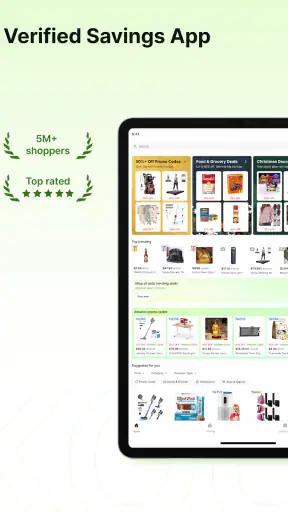
The app is available at no cost, which removes the most obvious barrier to trying it. Its content rating is Teen, so it is presented for a broad audience rather than as an adults-only financial service. The developer is Koupon, and the app has reached more than a million installs with a strong 4.7 average from roughly twelve thousand ratings. Those figures suggest that many people have made it part of their shopping routine, although popularity alone does not guarantee that every offer will suit every purchase.
Step one: search with a purpose
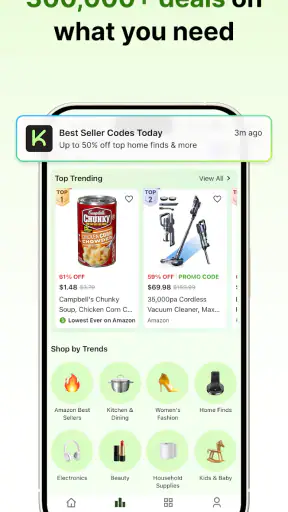
My first practical tip is to search narrowly. Instead of opening Koupon and scrolling until something looks attractive, I would start with the store or brand connected to my planned order. Then I would read the wording of each offer carefully. A code may be useful only for a certain product group, order condition, or shopping channel. The important habit is to treat the displayed deal as something to inspect, not as an automatic discount.
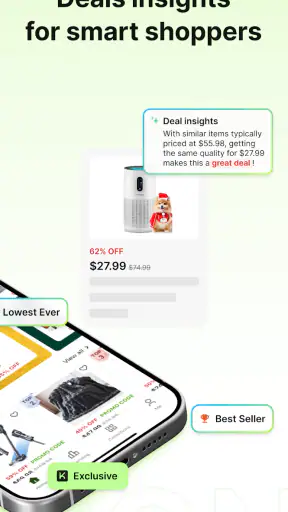
This is where the app’s emphasis on real savings becomes meaningful. A coupon is only valuable when it applies to the basket I am building. A large-looking percentage can be less useful than a smaller saving that works on the exact item I need. I also compare the final price, not just the headline. That simple check prevents the common mistake of choosing a promotion that looks generous but does not improve the actual purchase.
When several possibilities appear, I would begin with the offer whose conditions are easiest to understand. This is a small but useful trade-off: the most ambitious deal may require more restrictions, while a clearer one can save time and avoid an awkward checkout surprise. Koupon is most helpful when I use it as a filter for trustworthy options rather than expecting it to make every decision for me.
Step two: read the conditions before copying anything
Before transferring a code, I look for the details that usually decide whether a promotion is usable. I want to know what kind of purchase it fits, whether it appears intended for a particular store, and whether the wording excludes the product already in my basket. Even when the app surfaces a promising option, the retailer’s checkout remains the final authority.
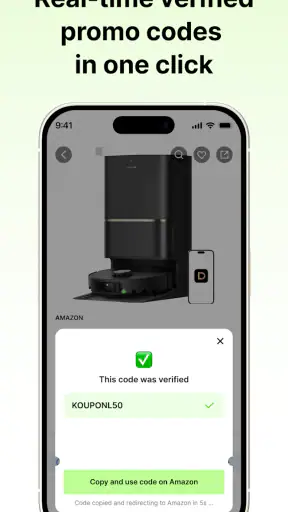
This is one of the app’s less glamorous but more important lessons: verification is a process, not a visual badge. I would keep the product page and the coupon information available at the same time, then compare the total after applying the offer. If the saving does not appear, I would remove the code and check whether another promotion is already active. Stacking rules can make a supposedly useful coupon irrelevant.
A realistic example would be preparing a household order on a busy evening. I already know the store, have selected the products, and want to avoid opening several unrelated coupon pages. I use Koupon to check for a relevant offer, copy the most suitable code, move to the retailer’s basket, and confirm the total before paying. The benefit is not only the possible saving; it is also the shorter path from uncertainty to a clear decision.
Step three: complete the handoff to the retailer
The key handoff happens when I leave the discovery stage and return to the retailer. Koupon can help me find a code, but the retailer controls the basket, delivery choices, account requirements, and payment screen. I do not assume that finding an offer means the transaction is finished. I still check the order summary and make sure the reduction is visible before submitting payment.
This separation is useful because it keeps expectations realistic. A shopping assistant should reduce the effort of finding a deal, not pretend to control another company’s checkout. If the retailer’s page behaves differently from what I expected, I treat that as a point to investigate rather than repeatedly forcing the same code. Sometimes the retailer’s own promotion is already the better route, and sometimes the offer is simply not suited to my order.
For people who shop mostly in one retailer’s dedicated app, this handoff may feel less convenient than using the store’s built-in loyalty system. A retailer app can connect discounts directly to an account or basket, while a separate coupon app introduces a copy-and-check step. Koupon makes more sense when I want an independent place to compare available savings across shopping decisions, especially when I do not want to rely on a single store’s promotion system.
What the result should look like
I consider the workflow successful only when the final payable amount is lower or the purchase is otherwise better than it would have been without the check. The result is not simply a copied code, a saved offer, or a promising description. It is a confirmed improvement at checkout. That mindset helps me avoid counting an unredeemed promotion as a saving.
The app’s strongest value is therefore practical rather than flashy. It can give me a focused place to investigate deals and codes, while its stated approach of avoiding fake promotions and inflated offers sets a useful expectation: the goal is credibility over a crowded collection of questionable discounts. I still verify every result at the retailer, but I spend less time wondering whether a listed offer is worth trying.
Another non-obvious benefit is decision discipline. When I use Koupon before opening the payment screen, I create a deliberate pause. That pause gives me a chance to compare the coupon with the store’s own deal, remove unnecessary items, or decide that the purchase is not urgent. In that sense, the app can support better shopping habits, provided I use it to review a planned purchase rather than to encourage impulse browsing.
How it compares with the usual alternatives
The usual alternative is searching the web for a retailer name followed by a coupon phrase. That method can produce many results, but it often leaves me sorting through repeated, outdated, or unclear offers. Koupon’s appeal is that it gives the search a dedicated shopping context and puts the question of real usability at the center. I find that more convenient when I want a quick check instead of a broad internet search.
Another alternative is a retailer’s loyalty app. That option is usually better when I shop at one store repeatedly and want account-linked rewards, purchase history, or a seamless in-store experience. Koupon is more useful as a neutral checking layer before I commit to a store’s own offer. It can complement a loyalty app, but I would not expect it to replace the features that only the retailer can provide.
Browser-based coupon tools can also be faster for people who complete every purchase on a computer and prefer automatic assistance at checkout. Koupon is a better fit for someone who wants to actively review options on a mobile device. The trade-off is clear: manual checking takes a little more attention, but it also lets me judge the conditions instead of accepting the first suggested code.
Where the flow breaks
The biggest friction is the boundary between Koupon and the retailer. A code can look appropriate and still fail because the basket, account, product, or checkout rules do not match. I would not blame the app for every failed redemption, but I would consider the extra verification step part of using it. Anyone expecting one-tap savings with no reading may find the process slower than anticipated.
There is also a risk of overvaluing the existence of a deal. If I start shopping only because I saw a promotion, the saving may be cancelled by buying something unnecessary. My advice is to decide on the purchase first, then use Koupon to improve it. This is a genuine limitation of the whole coupon workflow, not something the app can solve by itself.
Another trade-off concerns shoppers who need very detailed product comparison. Koupon is centered on savings, not on replacing a full product research process. If I am comparing specifications, sellers, delivery terms, or return conditions, I still need the retailer and other shopping tools. The app works best as one focused stage in that larger decision, not as the only place I investigate a purchase.
Who should use it, and who should skip it
I would recommend Koupon to people who often shop online, like to check a code before paying, or are tired of sorting through unreliable-looking promotions. It is particularly suitable for a careful shopper who is comfortable copying an offer, checking its conditions, and confirming the final total. The free price makes experimentation easy, and the current version, 2.13.7, supports a relatively modern app experience on devices running Android 6.0 or later.
I would be less enthusiastic for someone who shops almost exclusively in one retailer’s app and already receives automatic member discounts. In that situation, the separate search may not save enough time to justify another step. I would also suggest skipping it if coupon hunting tends to encourage unnecessary purchases. A tool designed to find savings cannot make an unwanted item financially sensible.
For a family member who wants a quick routine, I would explain it this way: choose the product, check Koupon, read the conditions, transfer the code, and verify the total. That sequence is simple enough to remember, but it still leaves room for judgment. The app is not a magic checkout button; it is a practical checkpoint that can improve a purchase when used at the right moment.
My overall experience with the workflow
What I like most is the app’s clear purpose. Koupon does not need to be the place where I discover every product or manage an entire shopping account. Its job is narrower: help me investigate real savings before I hand the order over to a retailer. That focus makes the experience easier to understand and gives the app a useful role in a normal shopping routine.
I also appreciate the emphasis on avoiding inflated deals, because coupon fatigue usually comes from spending time on offers that do not survive checkout. The app cannot remove all retailer restrictions, and I still have to read the conditions, but it encourages a more sensible standard. A promotion matters only when it improves my actual basket.
My final recommendation is positive, with one condition: use it as a verification step, not as a reason to shop. If you already have a purchase in mind, Koupon can help you move from a planned basket to a more informed checkout and may save you the frustration of unreliable code hunting. If you want automatic loyalty rewards, deep product research, or a completely hands-off checkout, the retailer’s own app or a different shopping tool may serve you better.
For my routine, that balance is enough to make it worth keeping available. It is free, focused on shopping, and supported by a large user base with a 4.7 average rating. More importantly, its usefulness comes from the complete workflow: start with a real purchase, inspect the offer, hand it off carefully, and judge the result at the final total. That is the habit that turns Koupon from a list of deals into a genuinely useful savings check.


